
The AMD Radeon RX 9070 XT has become one of the most interesting graphics cards for gamers building a powerful PC in 2026. It offers strong 1440p performance, capable 4K gaming, 16GB of VRAM and substantially better rasterized gaming value than several more expensive alternatives. However, choosing the right processor is important if you want the RX 9070 XT to deliver its full performance without spending unnecessary money on a CPU that your gaming resolution cannot fully use.
The good news is that the RX 9070 XT does not require the most expensive processor available. For most 1440p and 4K gaming systems, a strong modern six-core or eight-core CPU is enough to build a balanced PC. Gamers targeting extremely high frame rates at 1080p will benefit more from premium gaming CPUs such as AMD’s Ryzen X3D models, while 4K players can often save money on the processor and put more of their budget toward the graphics card, monitor, storage or other components.
As of September 2026, AMD’s Ryzen 7 9850X3D is the fastest processor in Tom’s Hardware’s current 1080p gaming CPU hierarchy. The Ryzen 7 9800X3D follows extremely closely at around 97% of its normalized gaming performance, while the Ryzen 9 9950X3D remains another excellent option for users who combine gaming with demanding productivity work.
For most RX 9070 XT owners, however, the Ryzen 7 9800X3D is arguably the best premium pairing. It provides enormous gaming performance without requiring users to pay for the small final performance advantage of the 9850X3D. Existing Ryzen 7 7800X3D owners also have little reason to upgrade immediately because that processor remains highly capable, particularly at 1440p and 4K where the graphics card increasingly becomes the main performance limitation.
Why CPU Choice Matters With the RX 9070 XT
The Radeon RX 9070 XT is based on AMD’s RDNA 4 architecture and includes 64 Compute Units, 4,096 Stream Processors, 64 ray accelerators and 128 AI accelerators. AMD equips the card with 16GB of GDDR6 memory on a 256-bit interface, with memory bandwidth of up to 640GB/s and 64MB of Infinity Cache. The card is rated for 304W typical board power, and AMD recommends at least a 750W power supply.
Current independent testing shows why CPU selection matters. In Tom’s Hardware’s 2026 rasterized gaming hierarchy, the RX 9070 XT averages approximately 156.6 FPS at 1080p Ultra, 116.5 FPS at 1440p Ultra and 65.8 FPS at 4K Ultra across the publication’s test suite. Those results place the RX 9070 XT almost level with the RTX 5070 Ti in traditional gaming performance.
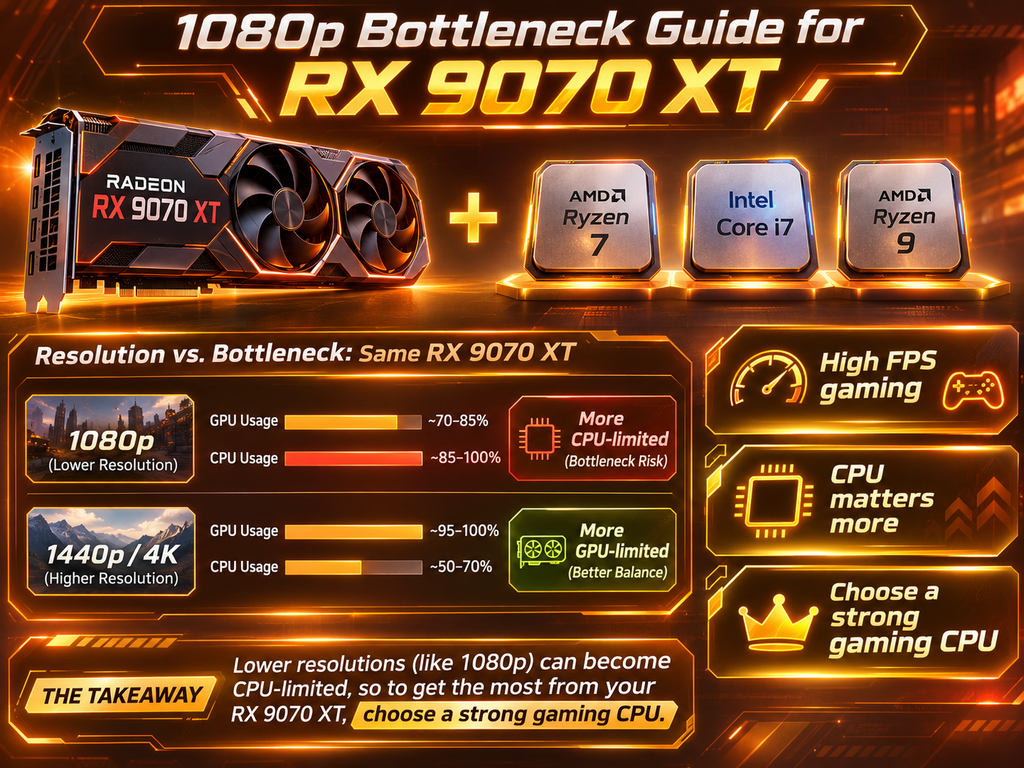
At 1080p, a graphics card producing more than 150 FPS on average can expose processor limitations relatively easily. At 1440p, GPU workload increases and the system becomes more balanced. At 4K, the graphics card must render more than eight million pixels per frame, making GPU performance far more important than relatively small differences between fast processors.
This means there is no single CPU bottleneck percentage that applies to the RX 9070 XT. The result depends on resolution, game engine, graphics settings, refresh rate and workload.
Ryzen 7 9800X3D: Best Overall Premium CPU for RX 9070 XT
For a new high-end gaming build, the Ryzen 7 9800X3D is one of the easiest processors to recommend with the RX 9070 XT. It combines eight Zen 5 cores, 16 threads and AMD’s 3D V-Cache technology, which gives the processor a large cache designed to improve performance in many gaming workloads.
The biggest reason to choose the 9800X3D is balance. It is fast enough that an RX 9070 XT is unlikely to be meaningfully held back in normal 1440p gaming, while it also provides significant CPU headroom for competitive games and future GPU upgrades.
The newer Ryzen 7 9850X3D is technically faster, but the difference is small. Tom’s Hardware’s current gaming hierarchy gives the 9850X3D a normalized score of 100%, while the 9800X3D sits at approximately 97%. Tom’s testing has also shown that the 9800X3D can come extremely close to the newer chip with simple Precision Boost Overdrive tuning, reinforcing how similar the two processors are in games.
For an RX 9070 XT build, paying significantly more for the 9850X3D usually provides poor value unless your primary goal is maximum possible competitive FPS.
Ryzen 7 9850X3D: Best for Maximum FPS
The Ryzen 7 9850X3D makes the most sense for players who want the highest CPU-limited frame rates available. This is especially relevant at 1080p with high-refresh-rate monitors.
A player using a 360Hz, 480Hz or similarly fast esports display may actually benefit from the final few percent of CPU performance because competitive games are frequently run at reduced graphical settings. Lower graphics settings reduce GPU workload and shift the bottleneck toward the processor.
For this type of user, pairing the RX 9070 XT with the fastest gaming processor available creates a logical system. However, it is important to understand that this advantage becomes less significant as resolution increases. A 4K gamer is unlikely to see the same CPU differences that appear in deliberately CPU-limited 1080p benchmark testing.
Therefore, the Ryzen 7 9850X3D is the best performance choice, but the 9800X3D remains the better value choice for most users.
Ryzen 7 7800X3D: Still an Excellent Choice
Existing Ryzen 7 7800X3D owners should not feel pressured to replace their processor before buying an RX 9070 XT. The 7800X3D remains a fast gaming CPU because its Zen 4 architecture and large 3D V-Cache continue to perform well in modern games.
At 1080p, newer 9800X3D and 9850X3D processors can produce higher frame rates in CPU-limited situations. At 1440p, the difference becomes less important. At 4K, the GPU often becomes the main performance limit.
This is exactly why CPU upgrades should be based on actual system behavior rather than simply buying the newest generation. If an existing 7800X3D system already keeps the RX 9070 XT near high utilization and delivers the frame rate required by the monitor, upgrading the processor may provide very little practical improvement.
For most 7800X3D owners, purchasing the RX 9070 XT first and testing the finished system is the smarter approach.
Ryzen 9 9950X3D: Best for Gaming and Professional Work
The Ryzen 9 9950X3D becomes attractive when the same computer is used for both gaming and demanding professional workloads. It provides 16 cores and 32 threads while retaining AMD’s 3D V-Cache technology.
In pure gaming, more cores do not automatically produce more FPS. Tom’s current CPU hierarchy actually places the Ryzen 7 9850X3D and 9800X3D slightly ahead of the 9950X3D in normalized gaming performance. However, the Ryzen 9 has a major advantage in applications capable of using its additional cores.
Someone who plays games but also works with video editing, rendering, software development, virtual machines or heavy multitasking can therefore justify the Ryzen 9 much more easily. For a gaming-only RX 9070 XT system, an eight-core X3D processor is generally the more sensible purchase.
Intel CPUs With the RX 9070 XT
The RX 9070 XT is not limited to AMD processors. Modern Intel CPUs work perfectly well with the graphics card.
Intel’s Core Ultra 7 270K Plus is one of the company’s stronger current desktop choices. It performs particularly well in single-threaded applications and offers a large number of cores for multitasking and productivity work. Tom’s 2026 CPU hierarchy places the Core Ultra 7 270K Plus at the top of its current single-threaded application ranking, although AMD’s X3D chips remain ahead in CPU-limited gaming.
For someone building purely for gaming, AMD’s current X3D processors offer the stronger performance argument. For users whose professional applications favor Intel, a Core Ultra system can still make an excellent RX 9070 XT platform.
The important point is that you do not need an AMD CPU simply because you purchased an AMD graphics card. CPU and GPU brands do not need to match.
Best CPU for RX 9070 XT at 1080p
At 1080p, processor performance matters most.
The RX 9070 XT already averages around 156.6 FPS at 1080p Ultra in Tom’s current rasterized benchmark hierarchy. Competitive games using lower settings can run much faster than this.
That means the CPU may become the performance limit before the GPU.
For maximum high-refresh 1080p gaming, the Ryzen 7 9850X3D is the strongest option. The Ryzen 7 9800X3D is close enough that it represents a better balance for most buyers.
If you use a normal 1080p 144Hz monitor, however, both the RX 9070 XT and these premium processors may be more powerful than necessary. A less expensive CPU could deliver effectively the same gaming experience while leaving more money for another upgrade.
Best CPU for RX 9070 XT at 1440p
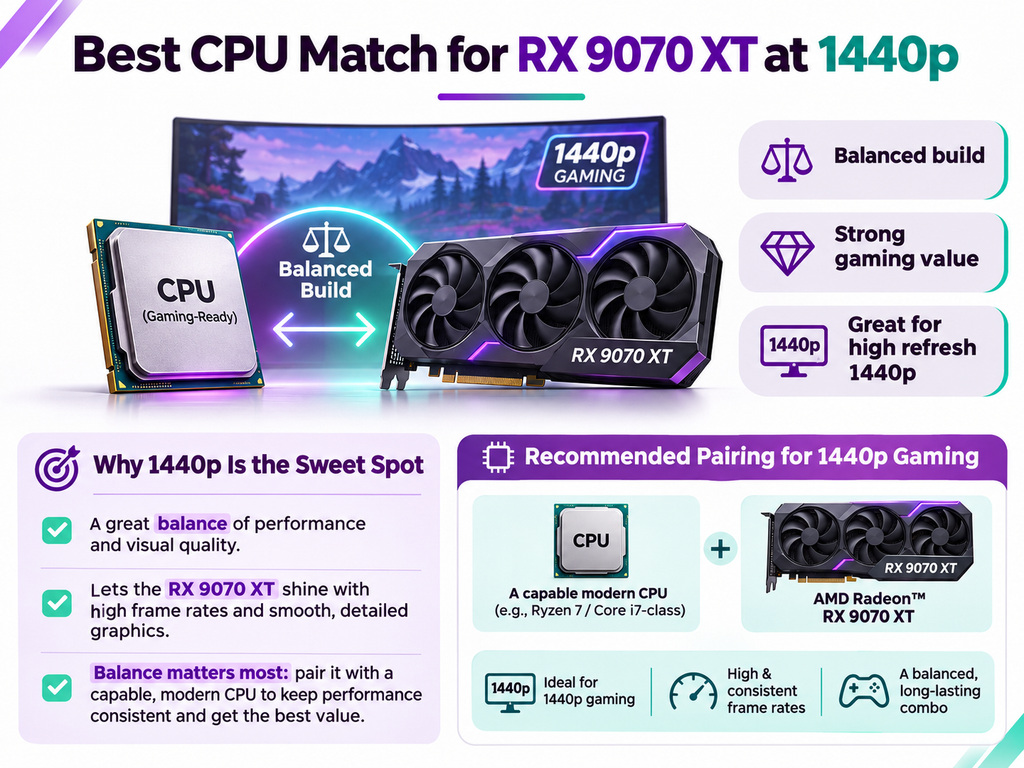
For 1440p gaming, the Ryzen 7 9800X3D is arguably the ideal premium pairing.
The RX 9070 XT currently averages approximately 116.5 FPS at 1440p Ultra, placing it among the fastest current cards below the RTX 5080 class. A fast processor still matters, especially with 165Hz, 240Hz or faster displays, but the GPU carries substantially more work than it does at 1080p.
This is also the resolution where value becomes especially important. You do not need to pay for the absolute fastest CPU to enjoy excellent RX 9070 XT performance.
A Ryzen 7 7800X3D, 9800X3D, strong modern Ryzen 7 or capable modern Intel CPU can all create an excellent 1440p system.
For most buyers, spending additional money on a better monitor, larger SSD or quality power supply can be more useful than chasing the final few percent of CPU performance.
Best CPU for RX 9070 XT at 4K
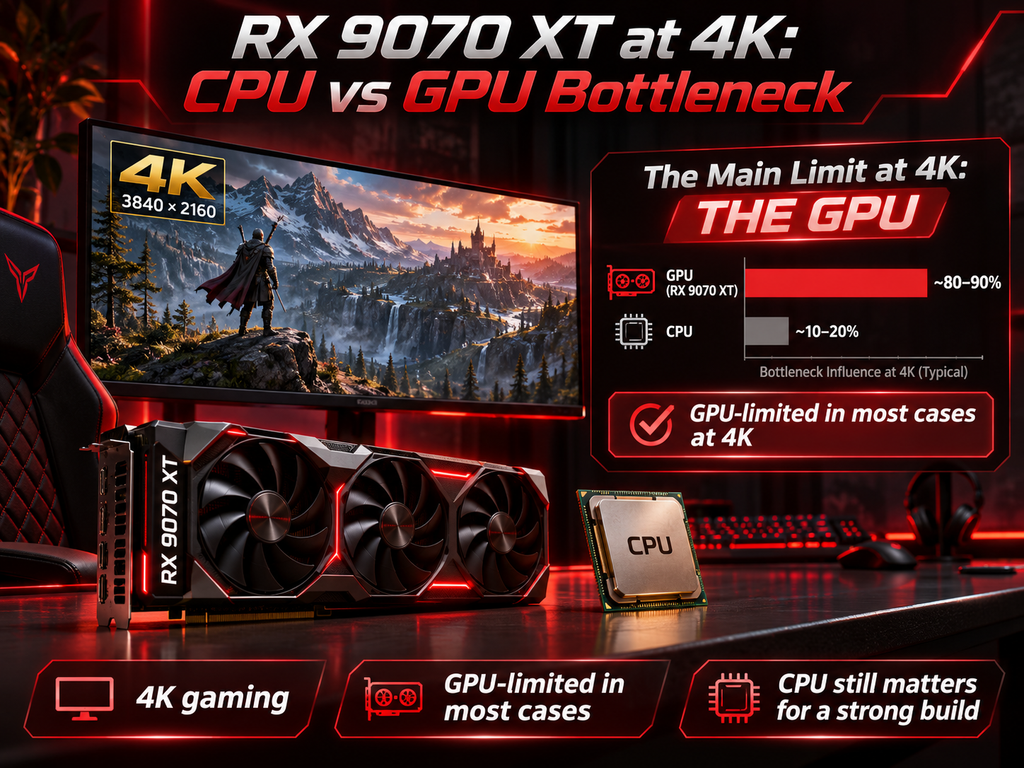
At 4K, CPU selection becomes considerably less critical.
The RX 9070 XT averages approximately 65.8 FPS at native 4K Ultra in Tom’s current raster suite, making it the cheapest current card in that hierarchy to cross roughly the native 4K 60 FPS level.
At this resolution, the graphics card has far more rendering work to perform. A processor capable of feeding 150 or 200 FPS does not matter if the GPU can only render around 60 to 70 FPS in the game.
This means existing owners of strong modern CPUs should usually keep their processor and upgrade the graphics card first.
Even a less expensive modern Ryzen 5 or Ryzen 7 can create an effective 4K system with the RX 9070 XT, depending on the games being played.
The Ryzen 7 9800X3D remains an excellent premium choice, but it is not mandatory.
How to Tell if Your CPU Is Bottlenecking the RX 9070 XT
A CPU bottleneck usually appears when the graphics card has unused performance but the processor cannot prepare frames quickly enough.
For example, imagine the RX 9070 XT could render 170 FPS in a particular game, but your processor can only prepare 120 FPS. Your final frame rate will remain closer to the CPU’s limit.
One useful sign is low GPU utilization while your FPS remains limited. Another is when lowering graphics settings produces almost no increase in performance. Lowering resolution can also reveal CPU limits. If moving from 1440p to 1080p produces very little additional FPS, the processor or game engine may already be limiting performance.
However, total CPU utilization is not always useful. A game can become processor-limited while using only a few CPU cores heavily. Overall CPU usage may therefore remain well below 100%.
This is why bottleneck analysis should combine GPU utilization, individual CPU thread activity, frame times, average FPS and 1% lows.
How Much RAM Should an RX 9070 XT Gaming PC Have?
For a modern RX 9070 XT gaming build, 32GB of DDR5 is a strong target.
Sixteen gigabytes can still work, but a system in the performance class of the RX 9070 XT benefits from additional memory headroom for modern games, browsers, launchers, Discord, background applications and streaming tools.
For most gaming-only systems, 64GB is unnecessary. That capacity becomes more useful when the PC also handles video editing, large simulation workloads, virtual machines or professional applications.
A balanced system with an RX 9070 XT, modern gaming CPU, 32GB RAM and fast NVMe storage is usually more sensible than spending heavily on excessive memory capacity.
Power Supply and Cooling
AMD rates the RX 9070 XT at 304W typical board power and recommends at least a 750W power supply. The card uses two 8-pin power connections in AMD’s reference specification.
A quality 750W PSU should therefore be appropriate for many builds, although the complete system must be considered. A high-power CPU, overclocking, additional drives and other accessories can increase total demand.
Power-supply quality is more important than simply buying the largest wattage available. A reputable 750W or 850W unit with appropriate protections and connectors is preferable to a poor-quality power supply claiming a higher number.
Case airflow also matters. A 304W graphics card adds significant heat to the system. Good intake and exhaust airflow helps both the CPU and GPU maintain stable performance.
Is the RX 9070 XT Good for Ray Tracing?
RDNA 4 represents a substantial improvement in AMD’s ray-tracing performance, but NVIDIA still maintains an advantage at comparable performance tiers.
Tom’s 2026 ray-tracing hierarchy shows the RX 9070 XT averaging approximately 77.8 FPS at 1080p Ultra RT, 55.5 FPS at 1440p Ultra RT and 30.1 FPS at 4K Ultra RT. The RTX 5070 Ti, which is very close to the RX 9070 XT in rasterized gaming, reaches around 66.2 FPS at 1440p RT and 36.7 FPS at 4K RT.
This does not change the CPU recommendation dramatically. Ray tracing increases GPU load, which generally makes CPU bottlenecks less important.
A 9800X3D therefore provides more than enough processor performance for an RX 9070 XT ray-tracing build.
Final Verdict
The best CPU for the Radeon RX 9070 XT in 2026 is the Ryzen 7 9800X3D for most premium gaming builds.
It sits extremely close to the Ryzen 7 9850X3D in current CPU-limited gaming benchmarks while often providing a better value proposition. The 9850X3D remains the best option when maximum 1080p or competitive FPS matters more than price.
Existing Ryzen 7 7800X3D owners should generally keep their processor and upgrade the graphics card first, particularly if they play at 1440p or 4K. The Ryzen 9 9950X3D is the better choice when gaming is combined with demanding professional work, while Intel’s modern Core Ultra CPUs remain viable alternatives for users with productivity workloads that favor Intel.
Resolution should ultimately determine how much CPU performance you buy.
At 1080p, the processor can meaningfully limit an RX 9070 XT, particularly when targeting very high refresh rates.
At 1440p, a strong modern processor and the RX 9070 XT create an excellent balance.
At 4K, the graphics card becomes the main performance limit in most demanding games, making an expensive CPU upgrade much harder to justify.
The RX 9070 XT itself remains an attractive gaming card in 2026. It offers 16GB VRAM, strong 1440p performance and roughly 4K 60-class native raster capability while remaining considerably below flagship GPU power requirements.
Before purchasing a processor, compare your planned CPU, RX 9070 XT, resolution and workload using a CPU-GPU bottleneck calculator. Then confirm the result with real benchmarks from the games you actually play.
The goal should never be to achieve a theoretical zero-percent bottleneck.
The goal is to build a PC where the hardware you paid for delivers the performance you can actually use.