
Upgrading your graphics card can be one of the easiest ways to improve gaming performance, but how much does a GPU upgrade cost in 2026? The answer depends on more than the price of the graphics card. Your existing processor, power supply, motherboard, PC case, and gaming requirements can all affect the final amount you spend.
Many gamers buy an expensive GPU expecting smoother gameplay, higher FPS, and better graphics. However, some discover that their older CPU cannot keep up with the new graphics card. Others need a replacement power supply or a larger computer case before they can install it.
Understanding the total GPU upgrade cost helps you avoid these problems. This guide explains graphics card prices, installation expenses, hidden upgrade costs, and how to choose the right GPU without wasting money.
How Much Does a GPU Upgrade Cost in 2026?
A graphics card upgrade can cost a few hundred dollars or several thousand dollars, depending on the performance level you want. Budget-conscious gamers may only need an entry-level GPU for 1080p gaming, while enthusiasts targeting 4K resolution may consider much more expensive hardware.
The most important thing is to separate the purchase price from the total installation cost. A $400 graphics card does not necessarily mean a $400 upgrade. If your system also needs a $100 power supply and other hardware changes, the final price can be significantly higher.
For most gamers, the smartest approach is to establish a complete upgrade budget before shopping. Consider the games you play, your monitor resolution, your target frame rate, and the hardware already installed in your computer.
There is no reason to buy a premium graphics card if an affordable model can already provide the performance you need.
Graphics Card Prices in 2026: What Should Buyers Expect?
The GPU market has experienced noticeable price changes during 2026. Availability, retailer inventory, memory costs, and demand for high-performance hardware all influence graphics card prices.
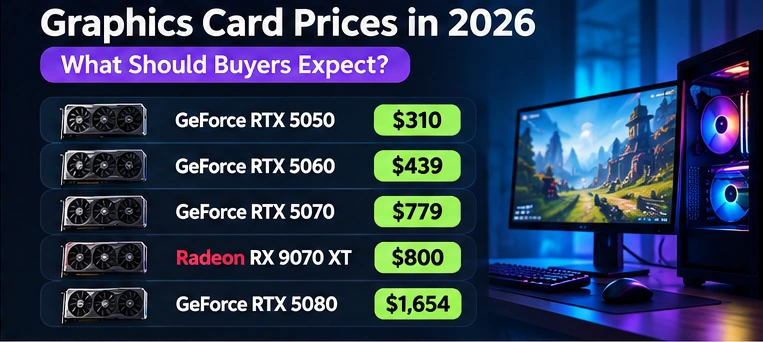
According to PC Gamer’s graphics card price tracker, selected US retail listings in October 2026 included the GeForce RTX 5050 at approximately $310, RTX 5060 at $439, RTX 5070 at $779, Radeon RX 9070 XT at $800, and RTX 5080 at approximately $1,654.
These figures are examples of advertised listings, not permanent prices or guaranteed deals. Different manufacturers may charge different amounts for cards using the same GPU, and prices can change quickly.
A more expensive graphics card does not automatically offer better value. For example, paying twice as much for a GPU does not mean you will receive twice the gaming performance.
Buyers should compare independent gaming benchmarks, video memory, power requirements, warranty coverage, and actual store prices before making a final decision.
Hidden Costs of Upgrading Your Graphics Card
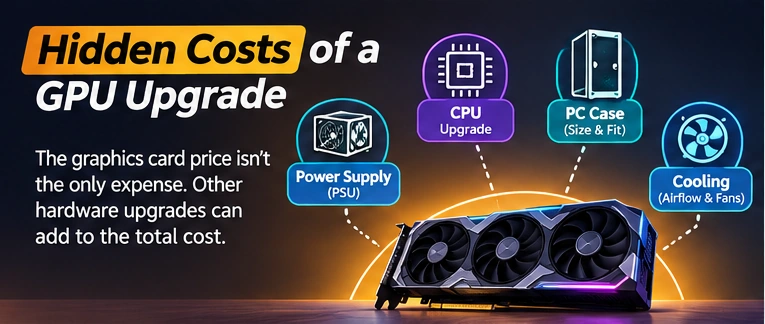
The biggest mistake people make when calculating GPU upgrade expenses is forgetting about the hardware that supports the graphics card.
A newer GPU may be compatible with your motherboard but still require additional spending elsewhere.
Power Supply Upgrade Cost
Your power supply unit, commonly called a PSU, delivers electricity to the CPU, GPU, storage devices, and other components.
More powerful graphics cards can require more power and different connectors. For example, NVIDIA lists a 650W required system power rating for the RTX 5070, while AMD recommends a minimum 750W power supply for its Radeon RX 9070 XT.
These recommendations assume particular system configurations. The appropriate PSU for your computer depends on your CPU, GPU model, other components, and the quality of your existing power supply.
If your PSU needs replacing, allow roughly $70 to $180 in a planning budget for a suitable mainstream or higher-quality unit. This is an illustrative allowance rather than a verified current retail quote.
Always confirm the exact GPU manufacturer’s power and connector requirements. Use compatible cables, follow the PSU manufacturer’s instructions, and never mix modular power cables from unrelated power supplies.
CPU Bottleneck and Processor Upgrade Expenses
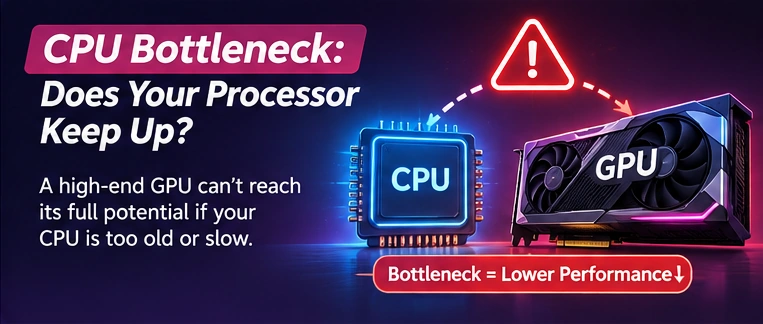
A CPU bottleneck occurs when your processor cannot deliver work quickly enough for the graphics card to operate at its full potential in a particular game.
This can happen when a high-end graphics card is paired with a much older processor, especially at 1080p with very high frame-rate targets.
For example, a powerful GPU may have the capacity to produce additional frames, but the CPU could limit performance in demanding competitive games.
Replacing the processor can increase the cost of the upgrade. In some cases, a newer CPU also requires a different motherboard or RAM.
Before buying a new graphics card, check how well it matches your existing processor. Our CPU guide for the RTX 5080 explains how processor performance can affect gaming at different resolutions.
PC Case and Cooling Costs
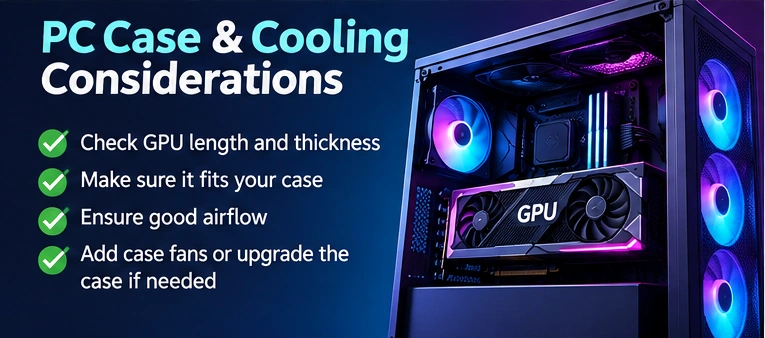
Modern graphics cards can be physically large. Some occupy three or more expansion slots and use cooling systems that require additional space.
Check GPU length, thickness, case clearance, airflow, and nearby cables before ordering.
A graphics card that does not fit inside your case can turn a simple upgrade into a larger project.
Poor airflow is another concern. If the new GPU produces significantly more heat, your current cooling setup may need improvement.
Sometimes adding a suitable case fan is enough. In other situations, a replacement case may be necessary. These changes should be included in your upgrade budget.
GPU Installation Cost: Should You Pay a Technician?
Many desktop graphics card upgrades can be completed at home without professional assistance.
If the new GPU is compatible with your system, installation generally involves shutting down the computer, disconnecting power, removing the existing card, installing the replacement, connecting the required cables, and updating graphics drivers.
However, people who are uncomfortable working inside their computer may prefer professional installation.
Labor costs vary widely by location and service provider. Request a quote that clearly identifies installation, compatibility checks, driver setup, and testing rather than assuming everything is included.
A professional technician can be particularly useful when the upgrade involves replacing the power supply or troubleshooting an older computer.
Best GPU Upgrade for 1080p Gaming
For 1080p gaming, buying the most expensive GPU is usually unnecessary.
Many popular competitive games can run well on entry-level and midrange graphics cards, particularly when graphics settings are adjusted appropriately.
The GeForce RTX 5050, RTX 5060, and Radeon RX 9060 XT are examples of GPUs worth comparing for different 1080p budgets. Their value depends on current pricing, game requirements, and the performance you expect.
If you primarily play competitive games on a high-refresh-rate monitor, CPU performance becomes especially important. A faster graphics card may provide limited benefits when the processor is already the main performance restriction.
For demanding single-player games, a stronger GPU and additional VRAM may still improve image quality and frame rates considerably.
The right choice is the graphics card that meets your actual gaming target without creating unnecessary costs.
Best GPU Upgrade for 1440p Gaming
For many enthusiasts, 1440p offers an attractive balance between visual quality and hardware cost.
It provides noticeably more pixels than 1080p without placing the same graphics workload on a GPU as native 4K resolution.
Cards such as the GeForce RTX 5070, Radeon RX 9070, and RX 9070 XT are options to research for 1440p gaming.
However, the best graphics card is not necessarily the newest or most expensive one. Buyers should compare current prices with results from independent game benchmarks.
VRAM is another important consideration. A card with more video memory may offer advantages when using high-resolution textures, demanding ray-tracing settings, or graphics-heavy games.
Still, VRAM capacity alone does not determine gaming speed.
If your existing CPU is relatively old, upgrading to a powerful 1440p GPU may expose performance limitations in certain games. These limitations are usually more noticeable when chasing high frame rates.
How Much Does a 4K GPU Upgrade Cost?
Four-K gaming demands substantially more graphics processing power than 1080p.
The larger number of pixels can require a more powerful GPU, particularly when high graphics settings and ray tracing are enabled.
Premium graphics cards such as the RTX 5070 Ti, RTX 5080, and Radeon RX 9070 XT may be considered for different 4K gaming expectations.
The actual value depends on the price you pay, your preferred games, and whether you are willing to use technologies such as DLSS or FSR.
Upscaling can improve performance by rendering internally at a lower resolution and reconstructing the output image. However, image quality and performance depend on the game and settings.
Before spending heavily on a high-end GPU, check whether your current monitor can display the resolution and refresh rate you want.
An expensive 4K graphics card offers limited practical benefit if you only use a basic 1080p monitor and have no plans to replace it.
Why VRAM Matters When Upgrading a GPU
Video memory, or VRAM, stores graphics data that the GPU needs while running games and creative applications.
In 2026, an 8GB graphics card can still be useful for affordable 1080p gaming, but demanding games may need more memory at higher settings.
Twelve gigabytes provides additional flexibility, while 16GB is attractive for gamers planning a powerful 1440p setup or some 4K gaming.
However, buying a slower card solely because it has more VRAM may not be the best decision. Graphics processing performance, memory bandwidth, ray tracing capabilities, and game compatibility are also important.
The ideal GPU combines enough memory with the processing performance needed for your games.
For a detailed explanation, read our guide on how much VRAM you need for gaming in 2026.
NVIDIA vs AMD vs Intel: Which GPU Offers Better Value?
NVIDIA, AMD, and Intel all offer desktop graphics cards, but their products differ in gaming performance, features, pricing, and software support.
NVIDIA is particularly relevant for buyers interested in its DLSS ecosystem, ray tracing, CUDA-supported applications, and certain creative workloads.
AMD Radeon graphics cards deserve attention when their current prices offer competitive traditional gaming performance and useful amounts of VRAM.
Intel Arc cards may appeal to budget-focused buyers, although checking performance and compatibility in your specific games is important.
The best brand depends on your workload rather than the company name. Someone who primarily plays conventional games may reach a different conclusion from a creator who uses software optimized for CUDA.
Compare the applications you actually use before paying extra for features that may provide little benefit.
GPU Upgrade vs Buying a New Gaming PC
Sometimes upgrading an existing computer is more economical than purchasing an entirely new system.
If your motherboard, processor, RAM, power supply, and case are in good condition, replacing only the GPU may deliver a substantial performance improvement.
However, upgrading an older computer can become expensive when several components need replacement.
Imagine that your graphics card costs $500, but you also need a $120 power supply, a $250 processor, a $150 motherboard, and $100 in other components or installation expenses.
Your total becomes $1,120.
At that point, comparing the cost of a complete gaming PC may make sense, especially when a new system includes updated hardware, warranty coverage, and better future upgrade options.
A new PC is not automatically the better purchase. The decision depends on what you can reuse and how much performance you receive for the total investment.
Example: Calculating the Real Cost of a GPU Upgrade
Suppose a gamer wants to upgrade an older 1080p gaming computer for smoother 1440p gameplay.
After researching graphics card performance, the buyer selects a GPU priced at $450.
The existing computer also needs a better power supply. The buyer sets aside $100 for that replacement and another $40 for installation or small accessories.
The total estimated upgrade cost is $590.
This example shows why shopping only by graphics card price can produce an unrealistic budget.
If the original $450 GPU exceeded the buyer’s available funds after additional expenses, a different graphics card might provide better overall value.
Always calculate the complete cost before deciding which GPU to purchase.
Is Buying a Used Graphics Card Worth It?
A used graphics card can reduce upgrade costs, but buyers should understand the additional risks.
Used GPUs may have limited warranty coverage, worn cooling fans, previous repair work, or undisclosed hardware problems.
Before purchasing, ask for the exact model, purchase history, warranty status, and evidence that the card works correctly.
Whenever possible, test the graphics card under gaming or benchmark workloads while monitoring temperatures, stability, and unusual visual artifacts.
A graphics card previously used for mining is not necessarily defective, but its condition should be evaluated carefully rather than judged only by its history.
Compare the used price against a new card with warranty protection. A small discount may not justify the additional uncertainty.
Should You Finance a GPU Upgrade?
Some retailers offer installment payments or financing for graphics cards and gaming computers.
These arrangements can make an expensive purchase appear more affordable because the total price is divided into smaller payments.
However, the advertised monthly payment does not always reflect the final amount you will spend.
Interest charges, service fees, late-payment penalties, and financing conditions can increase the purchase cost.
For example, a $600 graphics card financed over twelve months at $60 per month would cost $720 overall, excluding any additional fees. That is $120 more than its original price.
Before accepting financing, compare the total repayment amount against the cash price and read the agreement carefully.
Saving for a less expensive GPU may be a smarter choice than paying financing charges for performance you do not need.
How to Save Money on a GPU Upgrade
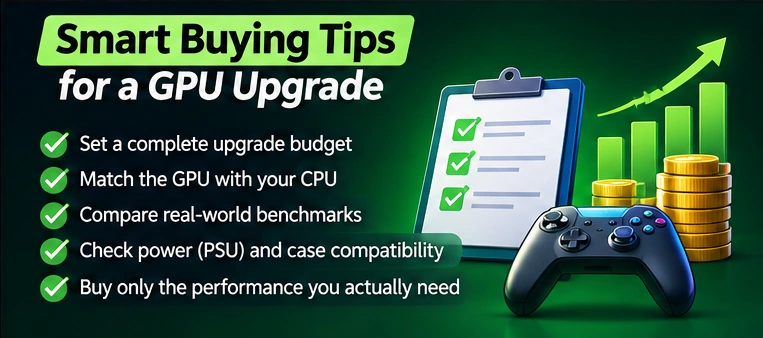
The simplest way to reduce GPU upgrade expenses is to identify your performance needs before comparing products.
Start by checking the games you play most frequently and reviewing benchmarks at your monitor’s resolution.
Next, check the processor, RAM, PSU wattage, available power connectors, and physical space inside your computer.
Compare several graphics cards instead of choosing one based on marketing claims.
Retailers sometimes offer discounts, clearance sales, or bundled promotions, but these deals should be evaluated against normal market pricing.
Avoid buying more GPU performance than your monitor or favorite games can meaningfully use.
Most importantly, compare complete upgrade costs. A slightly more efficient card that works with your current power supply may offer better overall value than a more powerful option requiring additional hardware.
Common GPU Upgrade Mistakes to Avoid
One common mistake is choosing a graphics card based entirely on its model number. A higher-tier GPU may provide better performance, but its price-to-performance value may be worse.
Another mistake is ignoring PSU requirements. Insufficient power capacity or incompatible connectors can prevent a graphics card from operating reliably.
Some buyers also overlook case clearance, resulting in a GPU that cannot be installed properly.
CPU bottlenecks are another concern. Spending heavily on graphics hardware may not produce the expected FPS improvement when the processor is the limiting factor.
Finally, avoid treating online bottleneck percentages as exact performance predictions. Real-world performance changes with resolution, games, settings, and background workloads.
Independent benchmarks and actual system measurements offer a more useful basis for an upgrade decision.
Frequently Asked Questions
How much should I budget for a GPU upgrade in 2026?
Your budget should include the graphics card, any required PSU replacement, installation expenses, and other compatibility-related costs. A basic upgrade may cost a few hundred dollars, while a premium setup can cost significantly more.
Can I upgrade my GPU without changing the motherboard?
Often, yes. Many desktop graphics cards use PCIe connections that are compatible across multiple generations. However, you must verify motherboard support, case space, power requirements, and any system-specific limitations.
Is a GPU upgrade better than a CPU upgrade for gaming?
It depends on the performance limitation. If your GPU is running near full utilization and cannot reach your desired frame rate, a graphics card upgrade may help. If your CPU is limiting frame delivery, upgrading the processor may produce greater benefits.
Can a new GPU increase FPS without upgrading RAM?
Yes. A graphics card upgrade can improve FPS when the existing GPU is the primary limitation. However, insufficient system RAM can still cause stuttering or performance problems in demanding games.
Is a 16GB GPU worth buying in 2026?
A 16GB graphics card can be a strong choice for demanding 1440p gaming, selected 4K workloads, and some content creation tasks. However, buyers should also consider GPU speed, features, and price rather than selecting a card solely for memory capacity.
How long does a graphics card upgrade take?
A straightforward desktop graphics card replacement may take less than an hour for an experienced person, including basic driver setup and testing. More complicated upgrades involving a PSU, case, or troubleshooting can take longer.
Final Verdict: Is a GPU Upgrade Worth the Money in 2026?
Upgrading your GPU can be an excellent investment in gaming performance when the rest of your computer can support the new hardware.
The best approach is not to buy the most expensive graphics card available. Instead, choose a GPU that suits your gaming resolution, delivers a meaningful improvement over your existing hardware, and fits within your complete upgrade budget.
Before purchasing, compare graphics card prices, power requirements, CPU compatibility, VRAM, warranties, and installation expenses.
A well-planned GPU upgrade can provide smoother gameplay, improved visual quality, and better value without the expense of replacing your entire gaming PC.